Install & first launch
Check your Mac, meet Aira and your companion, then make a few choices for your own day.
Before you download
- The initial release is for Apple silicon Macs with macOS 14 or later.
- A network connection is needed for license activation, occasional validation and software update checks. Your local personal history is separate from those checks.
- Download the signed ZIP from the Sip & Sass page.
Install Sip & Sass
- Download from the official Sip & Sass page on airabuilds.com.
- Open the download, then move Sip & Sass into your Applications folder.
- Launch it from Applications and follow the short tour.
The four-step introduction
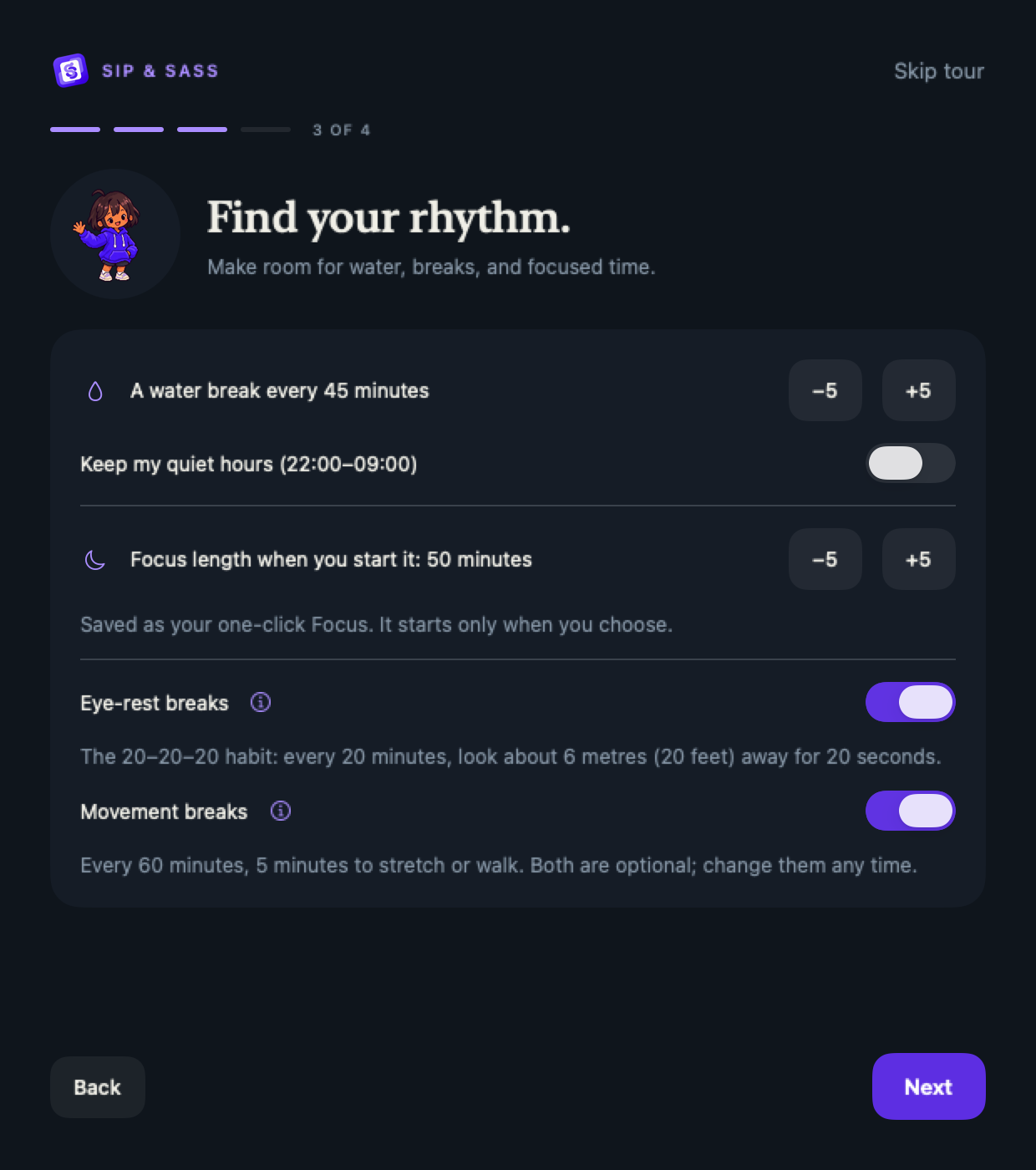
Aira introduces the app, and you choose a companion, an optional name, a water reminder rhythm, a preferred Focus duration and optional eye-rest reminders. Saving a preferred Focus duration does not start a Focus session.
Enter a name during onboarding and every companion will use it. Leave it blank to use their pet names: Dudu calls you “bubu,” and Bubu calls you “dudu.” Change your name or return to pet names in A note for you.
The 20–20–20 eye-rest suggestion means looking about 6 metres (20 feet) away for 20 seconds, roughly every 20 minutes of screen use. You can change it later. It is general guidance, not a treatment.
Skip tour keeps your existing settings. You can replay the introduction from Settings; replaying does not restart your trial.
Close the window, keep the app
Closing the main window leaves Sip & Sass running in the menu bar. Choose Open app from the S&S menu to return. Choose Quit Sip & Sass to stop the app and its reminders.
Start with your Mac, if you want
After installing in Applications, open Settings → Launch at login. This is optional. macOS may ask you to approve a login item; use the app’s status message to check the result.
Keep the app updated
Settings → Updates and the menu-bar popover provide Check for Updates…. Daily checks default on; automatic download and installation are optional. Sparkle verifies signed updates before installing them. An update can require quitting or restarting the app.
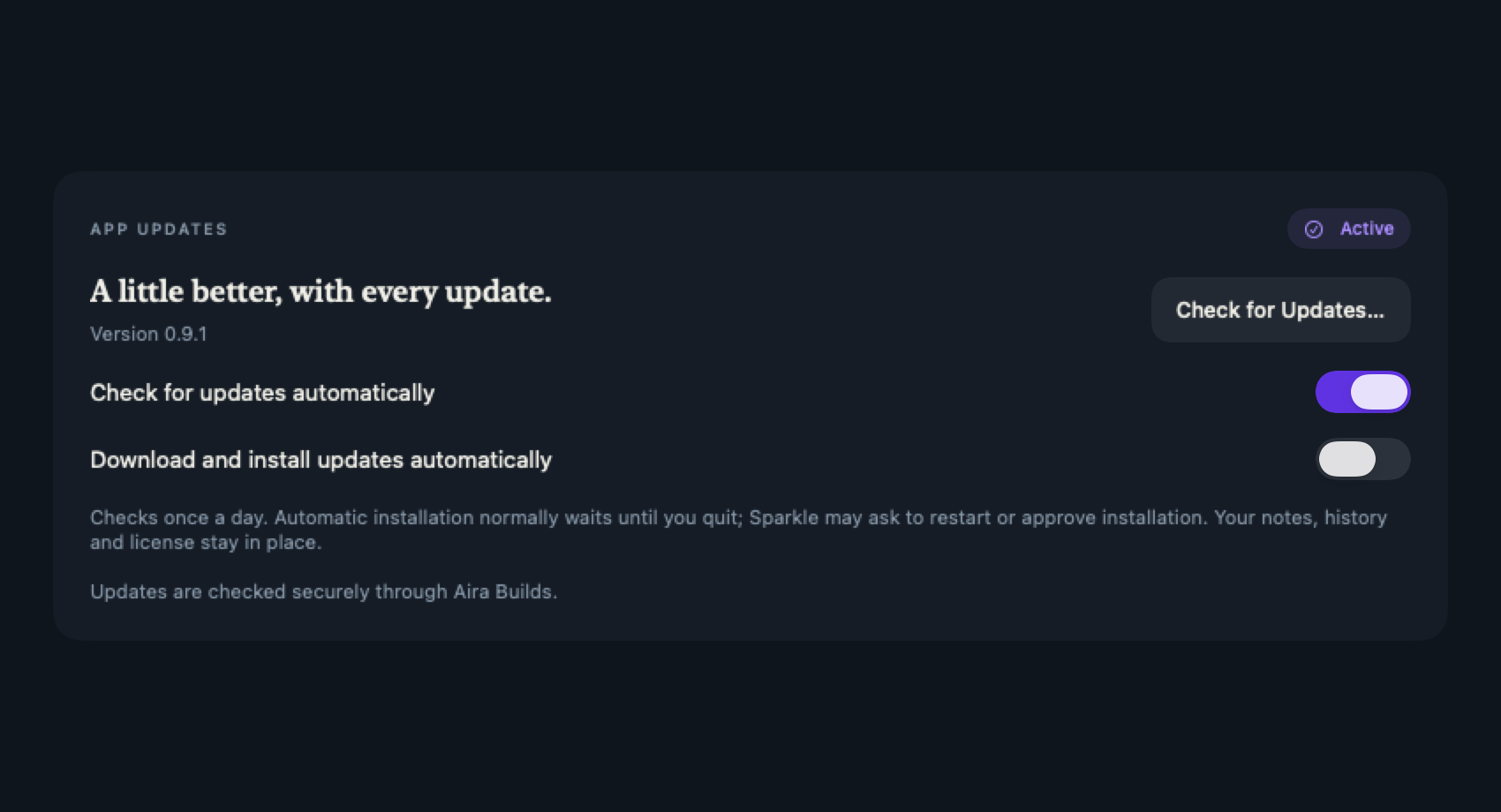
Existing installations without Sparkle need one manual replacement with the current release. Later releases arrive through the signed update feed.
Next: choose your reminder rhythm or read how the trial and license work.